
When Apple Silicon came to the Mac with the M1 in 2020, it was seen as a revolution for Mac, and more specifically, the MacBook Air, which finally had amazing performance to match its amazing design. But there was another thin and light computer that received the M1 chip shortly thereafter that doesn’t hold the same legendary status: the iPad Pro.

And in hindsight, this iPad has aged just as well as that MacBook Air, and it kind of annoys me that despite this being an important step for the iPad Pro, it’s often overlooked.
So, let’s correct that now and talk about how great the M1 iPad Pro was, and still is, in 2026.
Apple Silicon Before It Was Cool
To really understand what makes the M1 iPad Pro so special, it’s important to have some context on how it was received at launch.
Since Apple Silicon was originally billed as “a family of SoCs specifically for the Mac,” it was a bit of a surprise when Apple announced the iPad Pro would get that same M1 chip in April 2021.
As I think about it, this is probably where the “software not keeping up with the hardware” narrative on iPad really took off. Reviewers couldn’t understand why Apple would put such a powerful chip in an iPad and have nothing to “take advantage of it.”
The thing is, that M1 chip that was so groundbreaking on the Mac was actually old news on the iPad Pro. Apple had already been developing powerful ARM-based chips for the iPad Pro for years. It started with the A9X in the original iPad Pro, and continued for a few generations afterward. (Technically, the X chips started with the A5X on the 3rd-generation iPad, those early chips just weren’t promoted as desktop class.) So really, you could think of that A12Z chip as more of an M0. The M1 was an evolution of that chip. You could even call it the A14X, and I don’t think you’d be too far off.
The M1 wasn’t without its benefits. Apple touted a 50% increase in CPU performance, which is nothing to sneeze at, but when the A12X iPad Pro still felt really fast, that increase didn’t feel as impactful as it did on the Mac.

Even though the M1 chip turned out to be not as exciting for iPad Pro, this device had a number of firsts for both the iPad and Mac product lines.
- It was the first Apple computer to support the Center Stage feature, where the front camera would adjust its crop to sort of follow you on screen.
- It was the first Apple computer to have a Mini-LED backlit display, which all of the MacBook Pros now use.
- It was the first iPad to have an option for 16 GB of RAM (which is frustratingly still the RAM ceiling on an iPad in 2026).
- And it was the first iPad to have a Thunderbolt port, making it possible to take advantage of docking stations with multiple accessories attached.
Design and Build
So with that context, let’s take a look at the iPad Pro itself. I ended up buying the Wi-Fi only 12.9-inch model with 512 GB of storage and 8 GB of RAM in the classic Silver color. The body of the tablet itself is pretty close to immaculate.
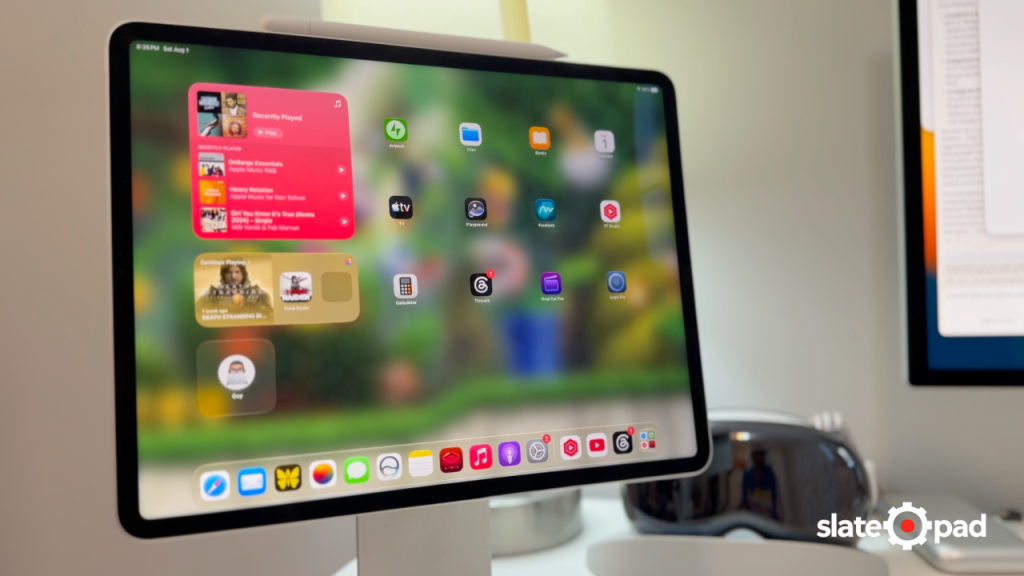
Disclaimer: I picked this up in late 2022, so I don’t have a full five years of use on my end.
The design was essentially unchanged from the 2018 iPad Pro, except that the 12.9-inch version is noticeably thicker and heavier than its predecessor. It wasn’t as much of a problem before the M4 came out, but whenever I come back to it, it’s definitely noticeable.
Mini-LED Display
Let’s talk about why this iPad Pro was so much thicker, and that’s its display. The 12.9-inch model was the first Apple computer to ship with a beautiful Mini-LED backed display. And let me tell you, it still looks just as gorgeous today as it did in 2022. Colors are sharp and vibrant, and watching YouTube videos on this device is an absolute pleasure. For most of the things you’ll do with this machine, you’d be hard-pressed to tell the difference between this display and the OLED displays of the newer iPad Pros.
This is the point where I should bring up how “bad” the blooming issue that “plagued” this iPad supposedly was, but it’s always been a non-issue for me. It’s certainly there if you look for it when watching some videos, or playing some games, specifically with white text on a black background (the effect gets exaggerated on video), but in everyday use, it’s a non-issue.
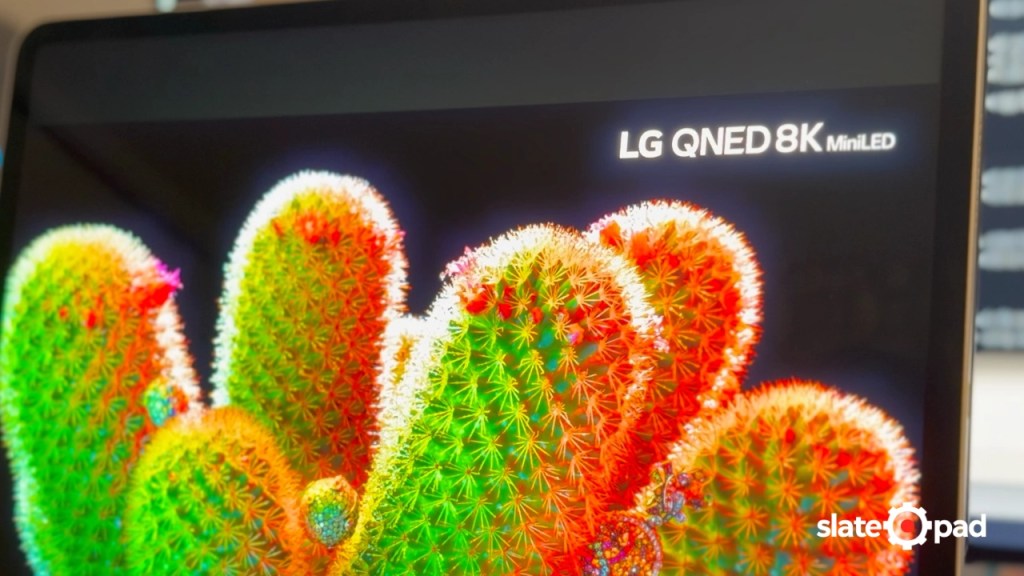
The bigger issue, retrospectively, has been the display response times. Even with high-refresh-rate ProMotion displays, Apple’s laptops, and I guess tablets as well, have something of a reputation for having slow response times, leading to something of a ghosting effect when scrolling or with fast-moving content on screen. It’s not something everyone can see. I only noticed it after comparing the M1 to the OLED display on the M4 iPad Pro with its faster response times, but it’s one of those things I can’t unsee.
But overall, for day-to-day productivity use, general web browsing, and watching YouTube videos, I’m still a fan of this display in general.
Magic Keyboard, Now in White
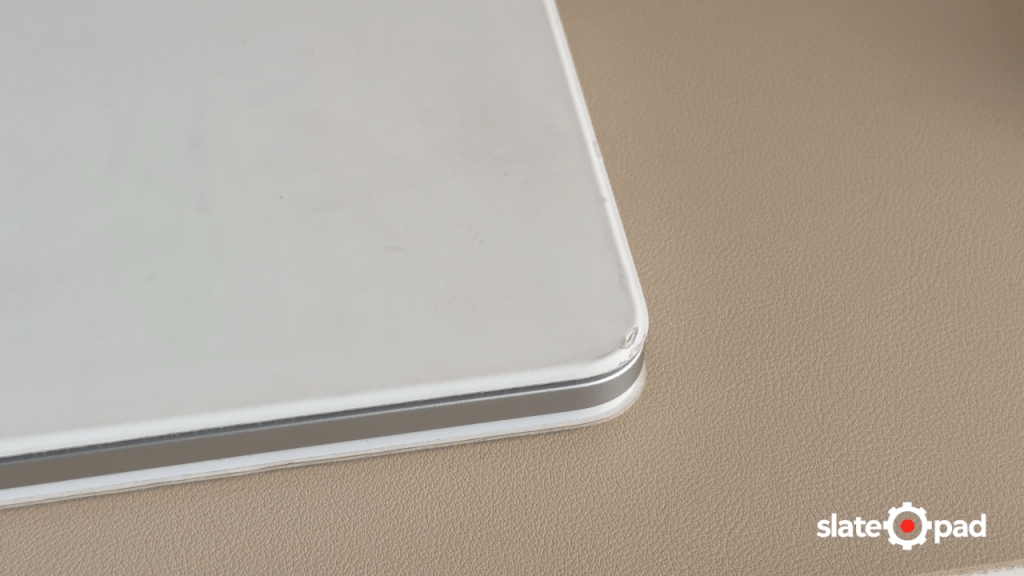
Speaking of how things have held up, when this iPad came out, Apple released a white version of the Magic Keyboard, and people always ask how well the white one holds up.
The answer for me has been “mostly fine.” I mean, I don’t think I use this with especially dirty hands, but to my eyes, it doesn’t look dirty or dingy. The bottom side gets a little dirty, but I’ve been able to clean it with a wet microfiber cloth. I do have a couple of spots where the material is coming off, but it’s not too bad yet, and hopefully won’t get much worse.
Performance

From a performance perspective, the M1 iPad Pro held up exceptionally well… until iPadOS 26. Not that performance is bad on the latest OS, but this was the first release where I started noticing more noticeable stutter during general navigation from time to time. iPadOS 26 added a lot of functionality on top of the Liquid Glass effects, so maybe that’s not completely unreasonable for hardware this old, but it’s something to note.
That’s where iPadOS 27 makes things a little interesting. This release is full of bug fixes and performance improvements that end up making the M1 iPad Pro feel more like it did before iPadOS 26. The difference in general responsiveness has been noticeable, which only serves to extend the useful lifespan of this tablet.
In day-to-day use, the experience on the M1 iPad Pro doesn’t feel that far off from the M4 or M5 Pros. Doing things like web browsing, sending email, and working on documents in Pages or Numbers was smooth and responsive for me. And really, these are the types of tasks most people do on their machines.
When we get to more intensive apps like Final Cut Pro, we start to see this M1 iPad Pro show its age a bit. While the general editing experience is okay, the app takes longer to open, and of course, actually exporting your video is significantly slower than on a modern iPad Pro. That’s exacerbated by the fact that Final Cut on the M1 iPad Pro doesn’t support background exports.
I never did a ton of gaming on this iPad when it was my primary device, but there’s a YouTuber called MrMacRight who has actually done some in-depth technical testing of how various console ports perform on the iPad Pro, including the M1.
Not to spoil it, but the consensus is that the M1 Pro isn’t the best option for some of the triple-A console ports that have come to the platform, like Resident Evil 4 or Assassin’s Creed Mirage. The hardware is falling behind in high-end gaming, but if your needs are more at the pixelated indie game level, I think the M1 Pro can still serve you pretty well.
Software
I think pretty much every review of the M1 iPad Pro complained about iPadOS and how it wasn’t “taking advantage” of the hardware. Five years later, it’s kind of crazy to look back at how far this machine has come. If you bought this iPad at launch, you now have a computer that’s an order of magnitude more capable than the one you bought.
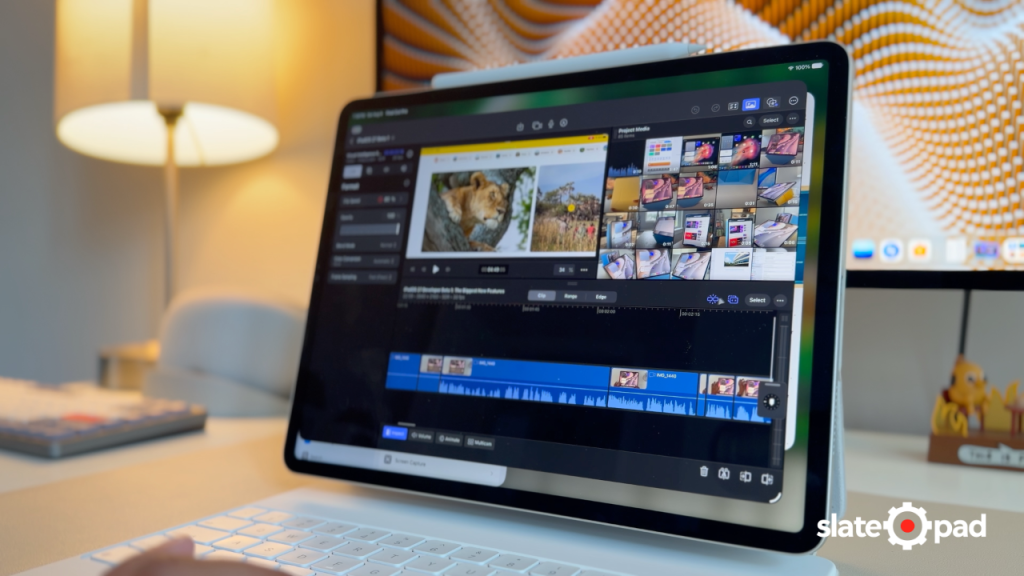
Let’s look at the things you can do now that you couldn’t in 2021.
- You can run three apps at a time
- There’s the option to use apps with floating windows
- The iPad Pro can properly drive an external display at the correct aspect ratio
- There’s USB camera support
- There’s limited display scaling support
- Apps can run background jobs
- Apple’s Pro apps (Final Cut Pro, Logic Pro, Pixelmator Pro) are now available
- Siri is legitimately useful (iPadOS 27)
And… it even has a calculator! 😁 (remember when that was the biggest problem we had as iPad users?)
In all seriousness, I think we can safely say that the “not taking advantage of the hardware” thing no longer applies. iPadOS now provides the system experiences and capabilities for users to be truly productive.
Unless, of course, you can’t figure out how to work on anything other than macOS, in which case, you’ll never be happy with iPadOS.
The fact that this iPad still performs so well in 2026 is a testament not only to Apple Silicon, but also to the efficiency of iPadOS. Remember, the model I bought “only” has 8 GB of RAM. On macOS, 8 GB of RAM can quickly become a struggle. On iPadOS, 8 GB still gives you a pretty good experience (Apple Intelligence aside).
There are some areas where this aging hardware is starting to fall behind. Background export support in Final Cut Pro only supports M3 chips and newer. There are also Apple Intelligence experiences like the improved dictation and the expressive Siri AI voice.
Despite “just” having an M1 chip, this iPad Pro has largely been keeping up with the entire iPadOS experience. I don’t really feel like I’m missing much when I use it, especially since it gets Siri AI, which is going to bring a lot of utility by itself.
Issues
I’ve actually gone through two different AppleCare replacements on this iPad because of a dark spot that has developed along the edge of the display.

The first time this happened, I figured it got squeezed in my bag too many times. However, the second time it happened, this machine had become secondary. It had barely moved off of my desk. So I’m pretty sure I didn’t cause it that time. Some light googling indicates that at least a few other people have had this issue, but not enough that I’m willing to call this a widespread issue.
That’s the only actual “issue” I’ve run into with the M1 Pro. There are a couple of things that aren’t issues per se, but are kind of negatives looking back. One of them is the position of the front camera, which, unlike today’s iPads, is on the portrait edge, not the landscape edge. It turns out that bugged me more than I realized, now that I’ve moved to a newer iPad. Being able to use the camera in my Studio Display helps here, but the few times I have to take a video call on the iPad itself, I don’t like having to reposition the iPad so I don’t look like I’m looking off to the side.
There’s also the matter of the Magic Keyboard for this iPad Pro, which doesn’t come with a function row. Between this and the Touch Bar, someone at Apple really had it out for the function row during this period. The lack of media keys didn’t bother me until I had them on the M4 Magic Keyboard, and now I find it a little annoying not to have them with the M1. Thankfully, external keyboards and third-party keyboard cases can solve this problem.
Buying Advice
So, say that in 2026, the M1 iPad Pro is one of your buying options. I imagine at this point, you can find one secondhand for a pretty good price. Is this an iPad you should consider buying?
Despite all of the good things I just said about the M1 Pro, it’s a little too close to the bottom of the software compatibility list for me to recommend it to someone just coming into the iPad Pro. I’d personally be shooting for an M4 iPad Pro at this point, or failing that, maybe an M2 Pro. You’d at least get modern features like Apple Pencil Hover support and ProRes recording support.
However, if your needs are relatively modest, maybe web browsing, email, and office document work, or watching video, and you don’t care that this iPad will likely stop getting OS updates in the next couple of years, this iPad is a good option. Especially if you can find one at a deep discount.
Upgrade Advice
But what about someone who already has an M1 iPad Pro? Is it time to upgrade?
Ultimately, if you’re happy with it, no. Ride that thing until it dies. There are two reasons to consider an upgrade at this point.
One is if your needs are starting to outgrow the hardware. Maybe you didn’t get enough storage or RAM, and you’re finding that intensive tasks like video editing or 3D modeling with something like ZBrush are too slow for you.
The other reason would be battery life. Often, the cost Apple charges to replace the battery in an iPad is intentionally unfavorable compared to just buying a new iPad, so you’ll need to weigh those costs.
Conclusion
The M1 iPad Pro isn’t seen as the same kind of game changer that the M1 MacBook Air is, but that doesn’t take away from the fact that it’s still an important step in the journey of the iPad Pro.
Leave a Reply